
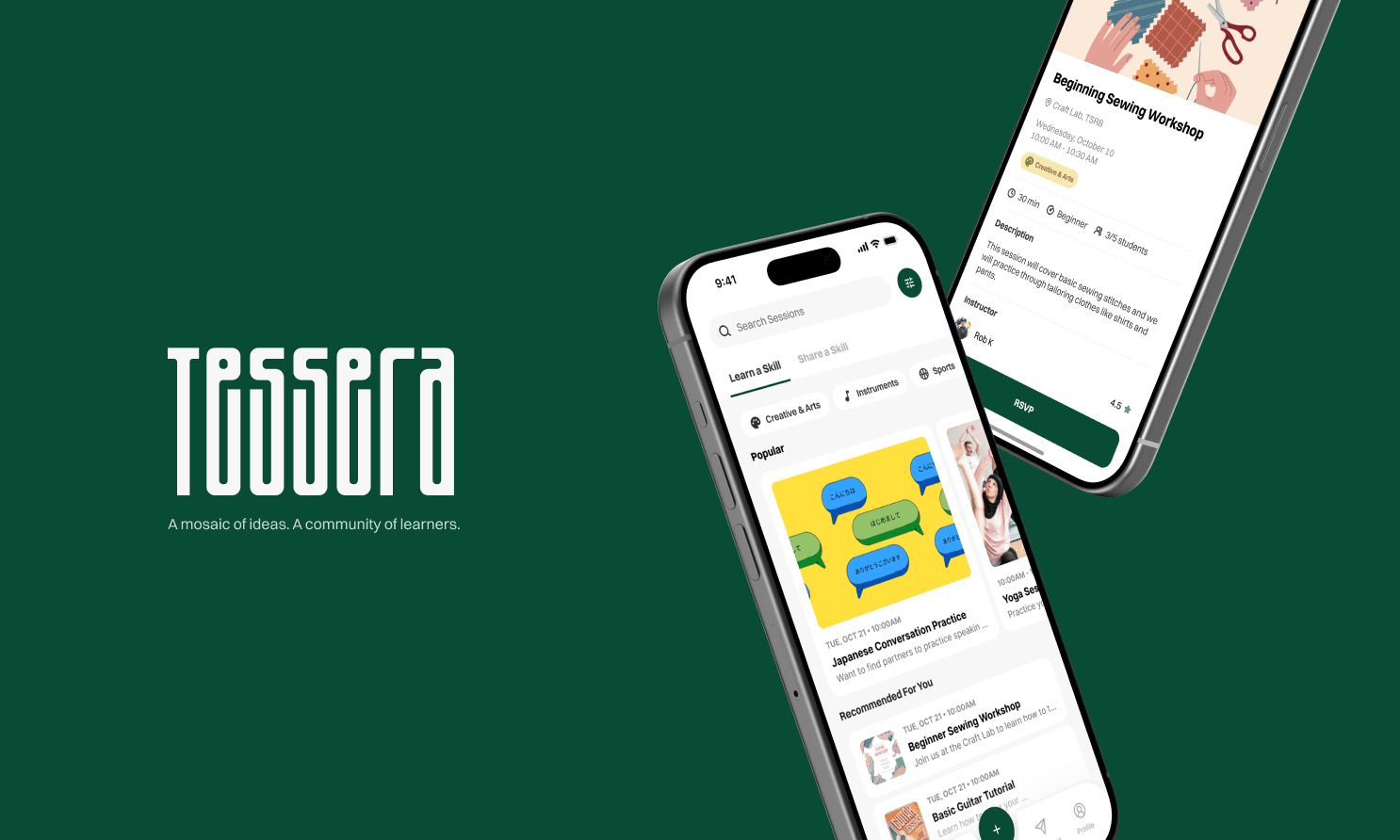
01·learner & sharer
sso & onboarding
A campus email signs you in, then interests and skills set up who you want to learn from and what you can share.
tessera
peer-to-peer skill sharing for college students
Role
Tools
Members
Methods
Duration
PROBLEM
exclusive clubs
Opportunities are hidden behind closed doors and cliquey networks.
impostor fear
Students want to teach, but worry they aren't “expert” enough to help strangers.
logistical chaos
Even when matches happen, syncing schedules and finding space is exhausting.

SOLUTION PREVIEW
TIMELINE
research
Interviews, observation, and mapping the core pain points.
ideation
Turning insights into user flows and feature requirements.
prototyping
Wireframing the request-to-matching loop and logistics dashboard.
testing
Usability testing with students, then a design polish pass.
USER RESEARCH
Tap a method for the full breakdown.
FINDINGS
Affinity mapping grouped our raw interview and observation data. Empathy maps then contrasted what students said, thought, did, and felt — pointing to three critical insights.
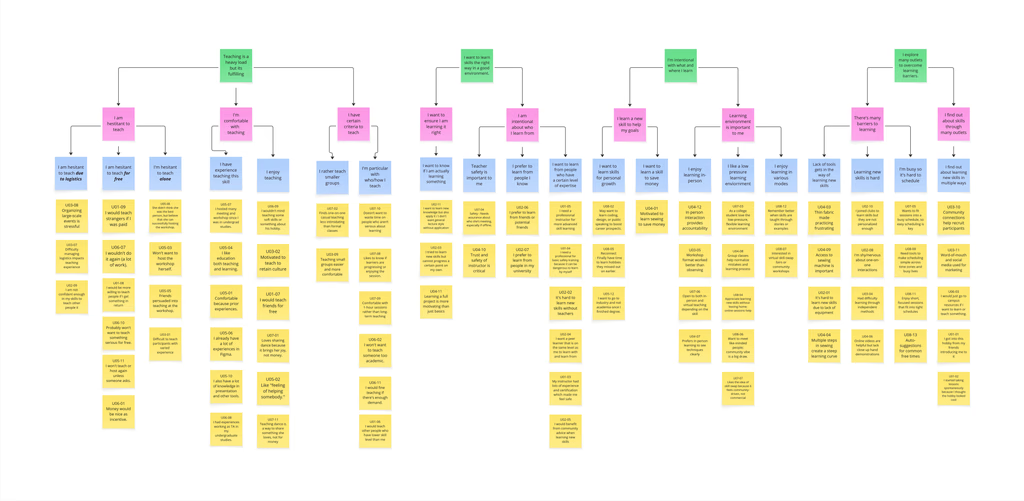
affinity mapping
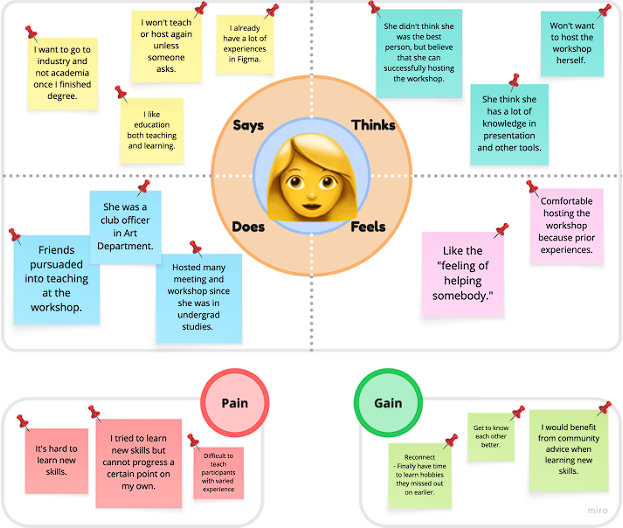
empathy maps
01. psychological safety trumps match quality
Fear of reaching out to a stranger outweighs how well a skill match actually fits.
02. the logistical wall kills momentum
Even a good match stalls out once schedules and campus resources have to line up.
03. autonomy is non-negotiable
Students want full control over who they work with and where — not an assigned format.
a good match still fails without safety, easy logistics, and real choice
USERS
the peer sharer

“I don't feel confident in my skills to teach or give back to others.”
“I prefer to teach friends rather than strangers.”
goal
Get recognized for what they know, entirely on their own terms.
pain points
impostor syndrome
Confidence, not skill, is what actually stops most sharers.
safety & comfort
Trust concerns make strangers feel riskier than friends.
the peer learner

“I want a low-pressure, flexible learning environment”
“I don't have the equipment or a mentor to get past the basics.”
goal
Learn a real skill without joining a club or buying equipment.
pain points
skill mismatch
Struggling to find peer teachers at the exact right level—content is either too advanced or painfully basic.
resource barriers
Progressing past the basics needs equipment and mentors most students don't have.
DESIGN QUESTION
how might we create a learner-driven skill-sharing network that establishes peer credibility, reduces organizational friction, and gives students autonomy over their learning experiences?
CONCEPT IDEATION
A round of Crazy Eights got 30+ rapid concepts on the table.
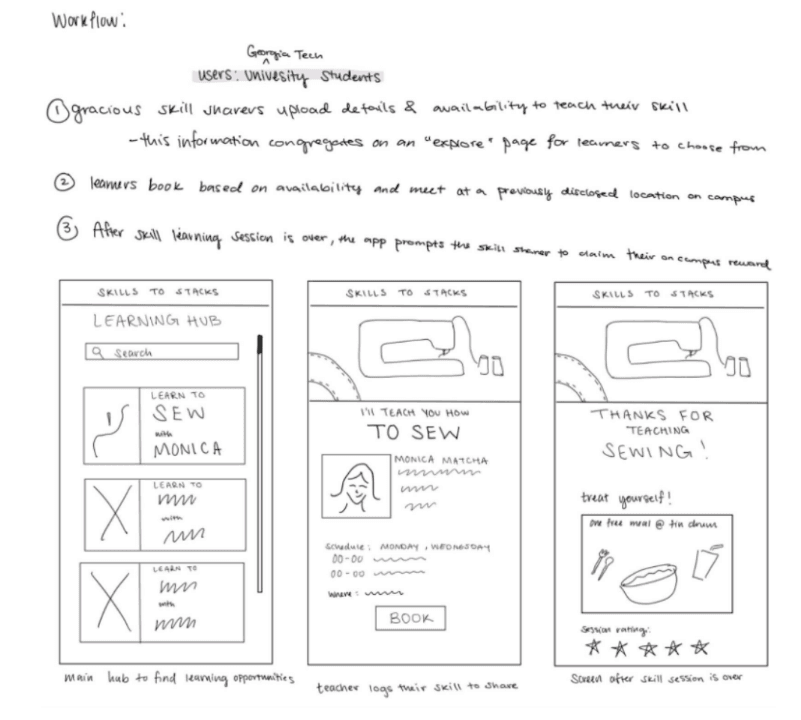
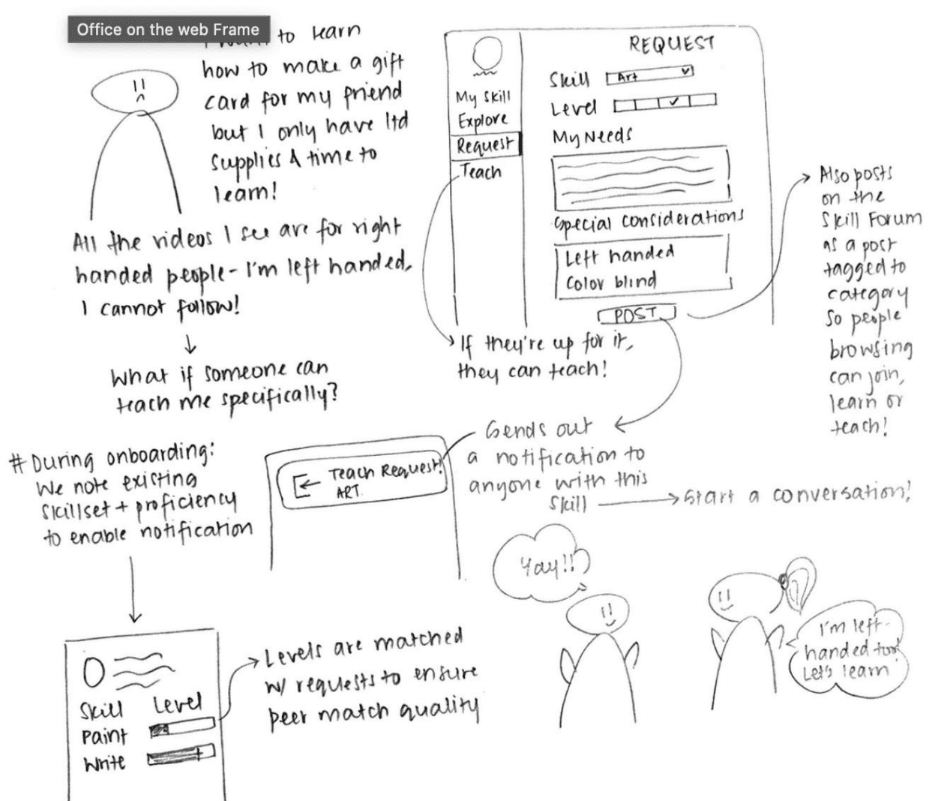
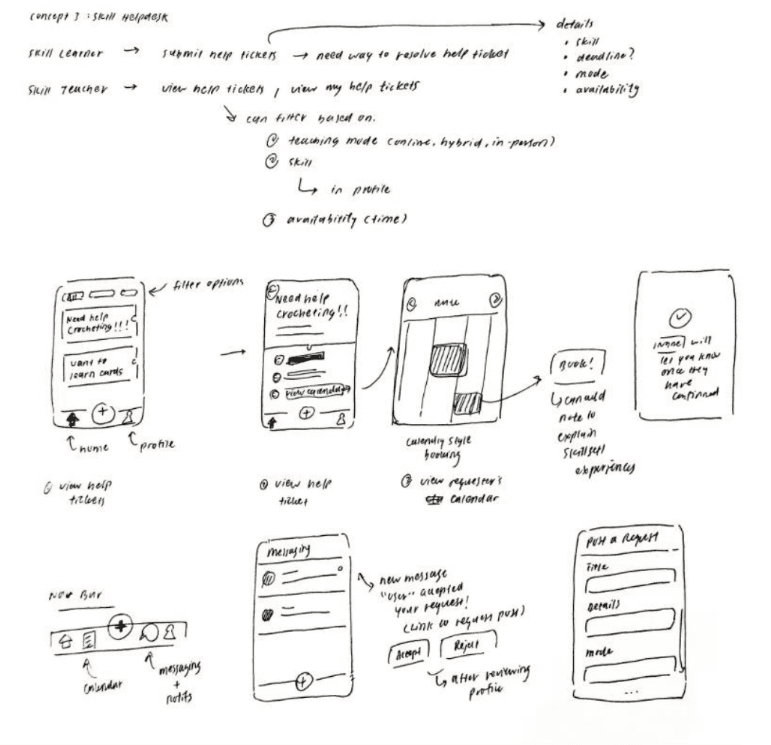
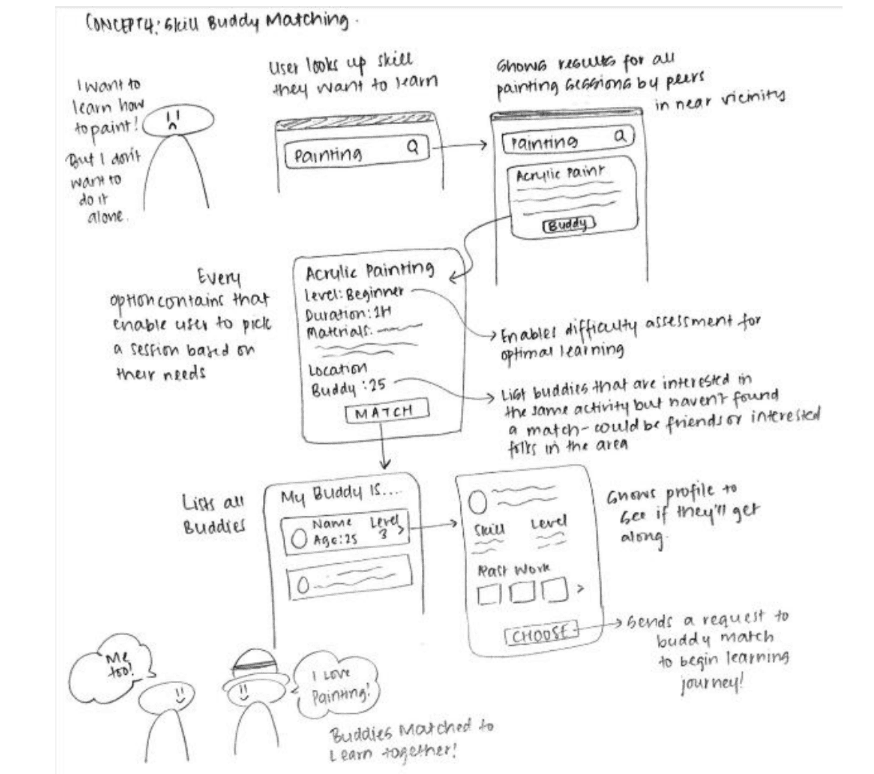
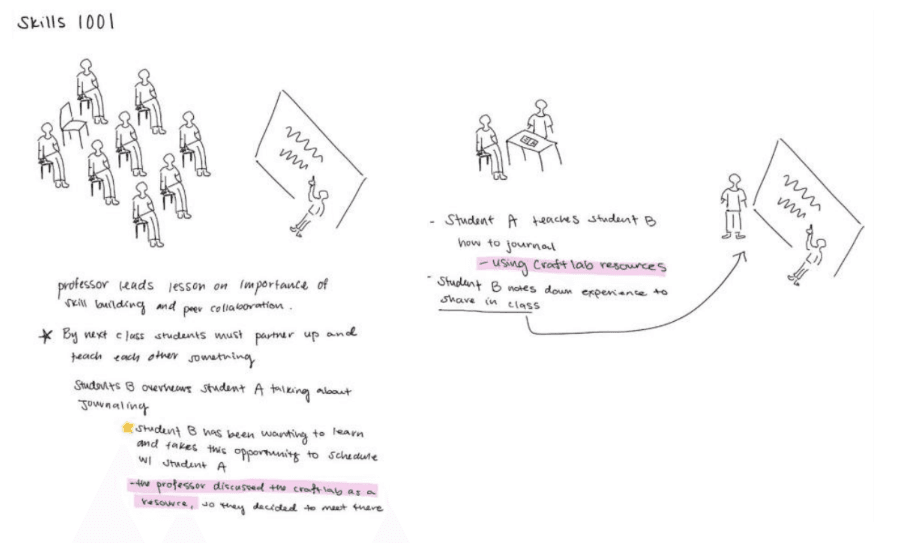
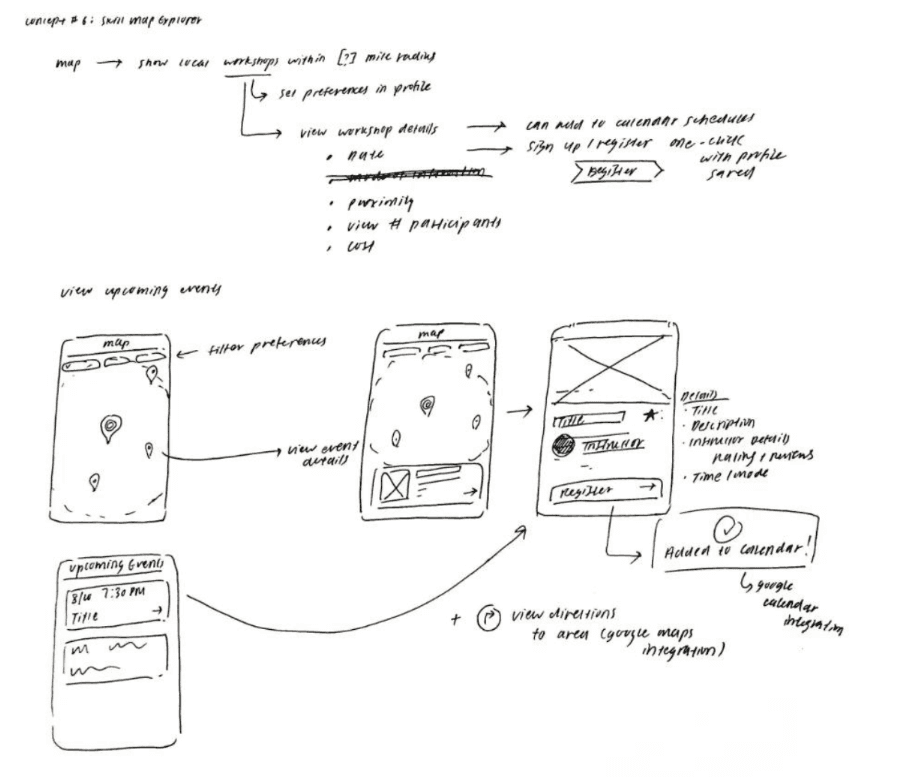
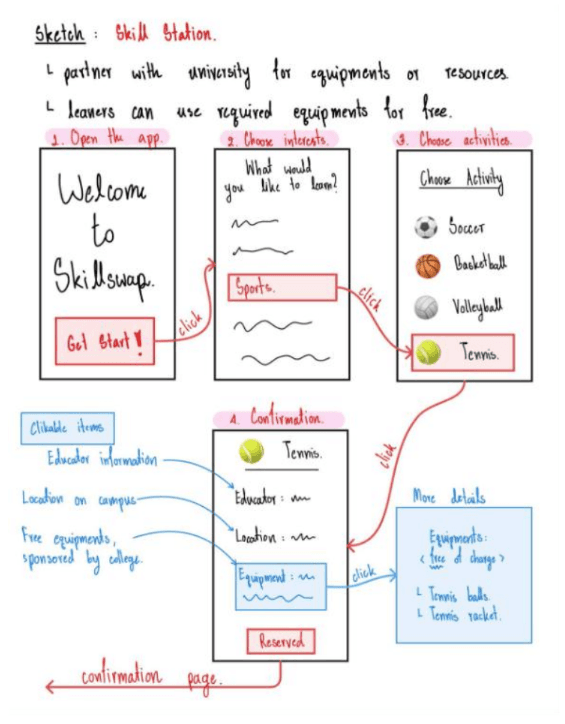
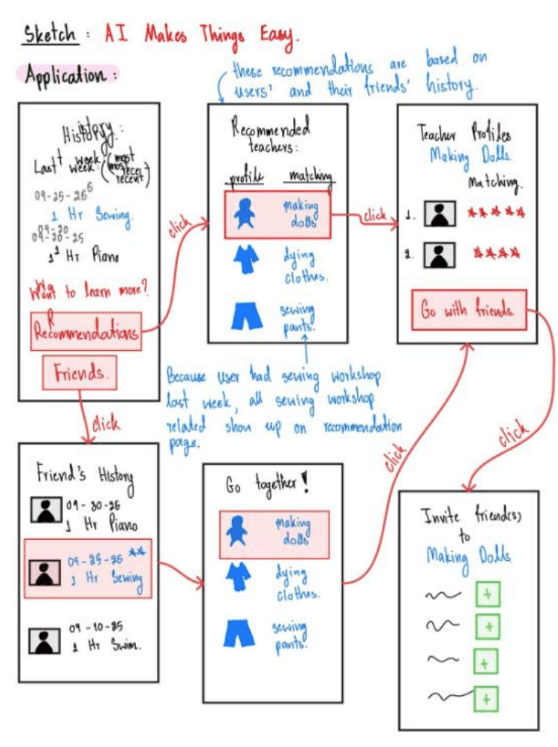
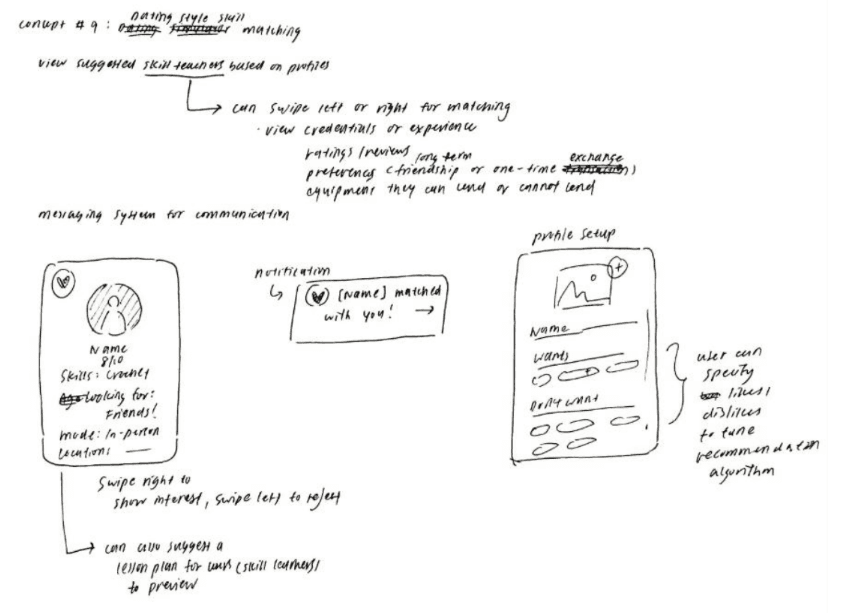
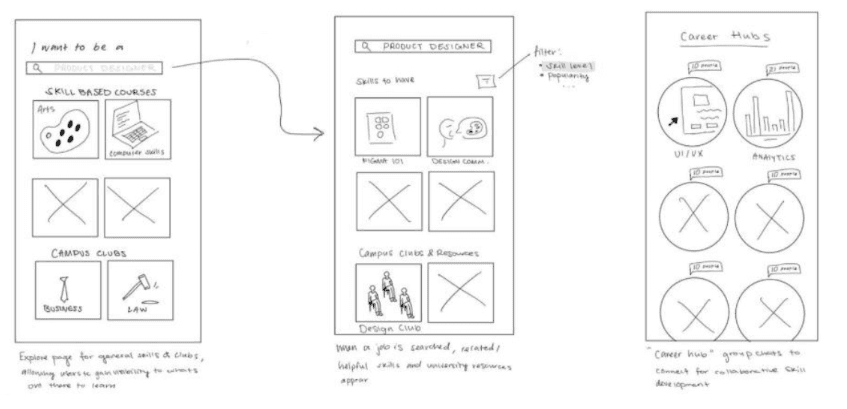
the combined solution: learners drive the platform, logistics get distributed
This way we can serve both sides of the problem — learners who need a place to ask, and sharers who need the logistics to work.
WIREFRAMES
We started out designing 30+ wireframes across 4-5 different flows.
DESIGN ITERATIONS
01. safeguards for one-on-one meetings
strangers online still felt risky, even on a campus-only platform
Concept feedback flagged real anxiety about one-on-one meetups. We answered with an option to open any session to a small group instead of just one other person, and a peer review and rating system that establishes accountability up front.
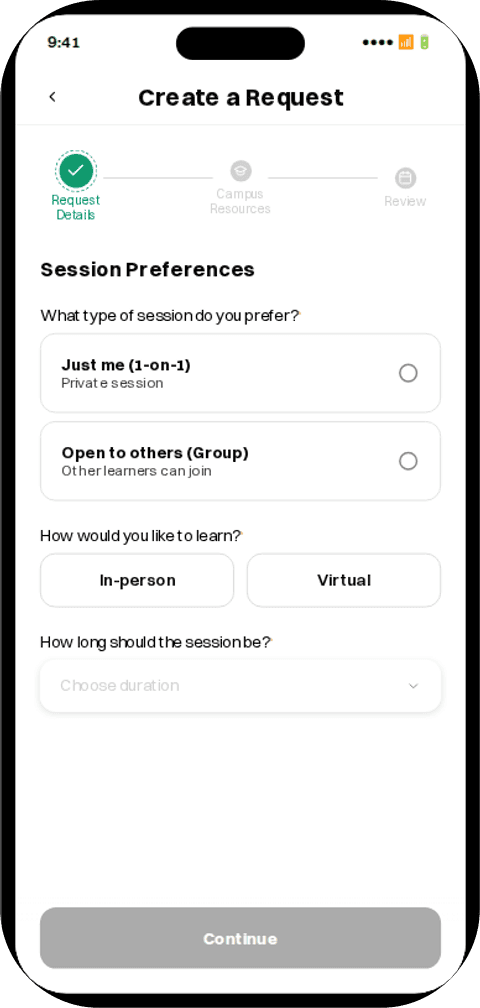
1:1 only. one learner, one stranger
a locked pair. the rest stayed private
This definitely made the flow more complex, but it was a necessary addition!
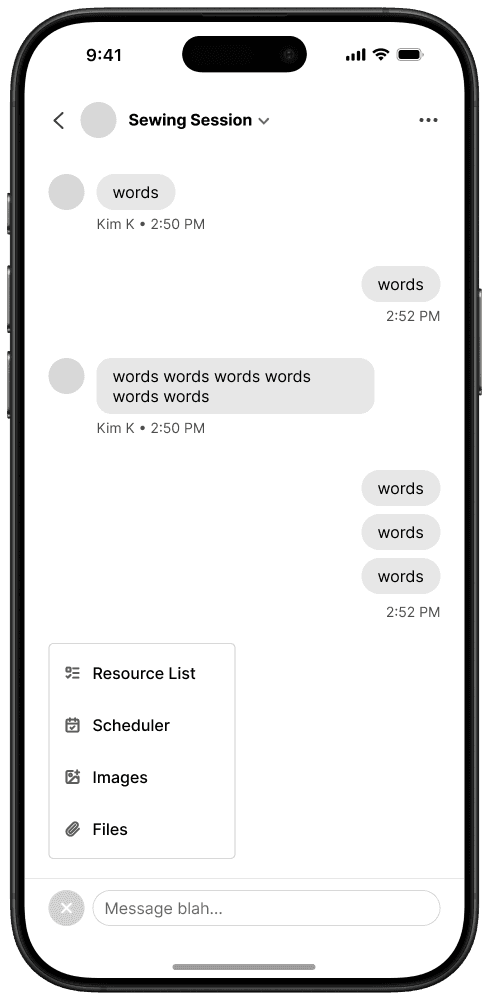
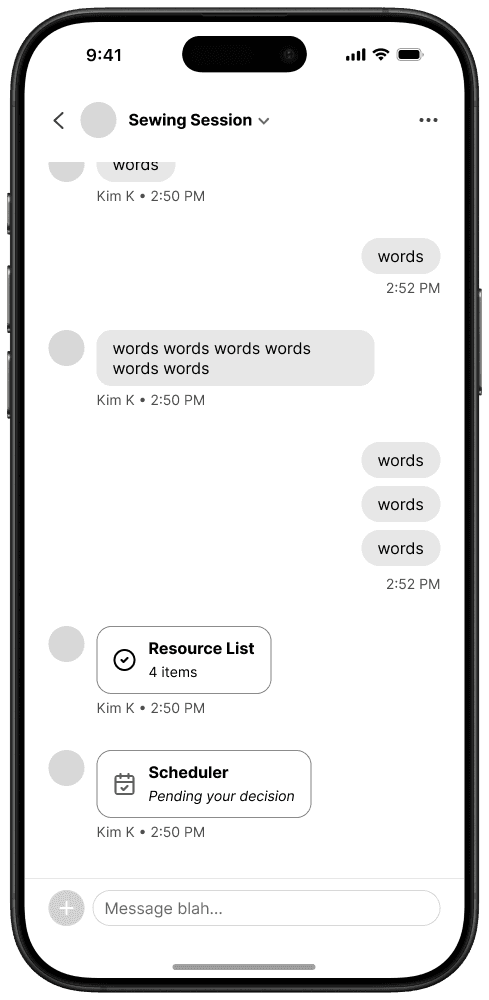
02. aligning resources with meeting times
flexibility broke down against real equipment constraints
Campus equipment is only bookable in a handful of windows, which made an open-ended flow chaotic.
Two separate flows. A meeting time could be chosen for a moment when the resource was already taken.
DESIGN SYSTEM
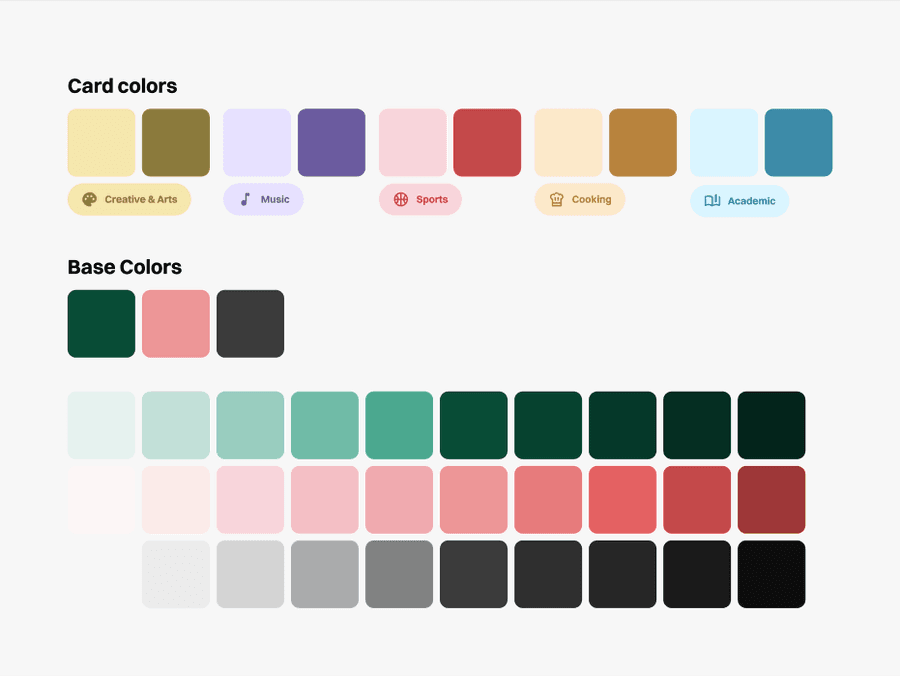
Three base colors — deep green, warm coral, and near-black — carry the product. Five category colors (Creative & Arts, Music, Sports, Cooking, Academic) tag skills and power search and recommendations. Switzer is the only typeface, from 24px screen titles down to 12px labels.
Switzer
Aa
Regular
Aa
Semibold
Aa
Bold
Heading 1
24 Bold
Heading 2
20 Bold
Paragraph 1
16 Regular
Paragraph 2
16 Bold
Label
14 Semibold
Caption
12 Bold
FINAL DESIGNS
01·learner & sharer
A campus email signs you in, then interests and skills set up who you want to learn from and what you can share.
02·learner
Learners spell out the skill, where they're starting, and the exact goal. The form stays short enough to finish before the intent fades.
03·sharer
Sharers open Share a Skill, pick a request, and send an offer. The learner chooses who to learn from.
04·learner
When sharers offer to teach a request, the learner gets a note in My Sessions, picks one person, and the chat opens.
05·learner
Space, equipment, and a time get booked in one flow, so the meetup is settled before anyone commits their afternoon.
06·sharer
Once the meetup is settled, the sharer posts it to Explore with a title, a description, and what people should bring.
07·learner
After the session, a review from the learner lands on the sharer's profile, so the next person can see who they're meeting.
USER EVALUATIONS
Expert heuristic evaluation, paired with task-based testing across 10 tasks spanning both the sharer and learner flows. We tracked completion rate and errors per task to see exactly where people stumbled.
terminology confusion
“Sharing” and “learning” labels caused misclicks and hesitation when navigating different screens.
8.7
SUS score
REFLECTION
syncing flows
We were each in charge of a different flow. Every so often we realized we had different ideas of the direction we were heading, so staying on the same page mattered as much as the screens.
a failed first design
A first pass is allowed to miss. With enough user testing and feedback, that feedback is what transforms the design.